"It's probably a permissions issue." Thu Jul 03 2025
If you’ve just installed Discord on your Linux desktop, you may experience problems when uploading files, especially with drag-and-drop.
This is usually due to a lack of file access permissions, as Discord does not enable general file access by default in their Flatpak. You can change this using either a graphical application called Flatseal or using the Flatpak CLI utility in a terminal.
Using a graphical tool
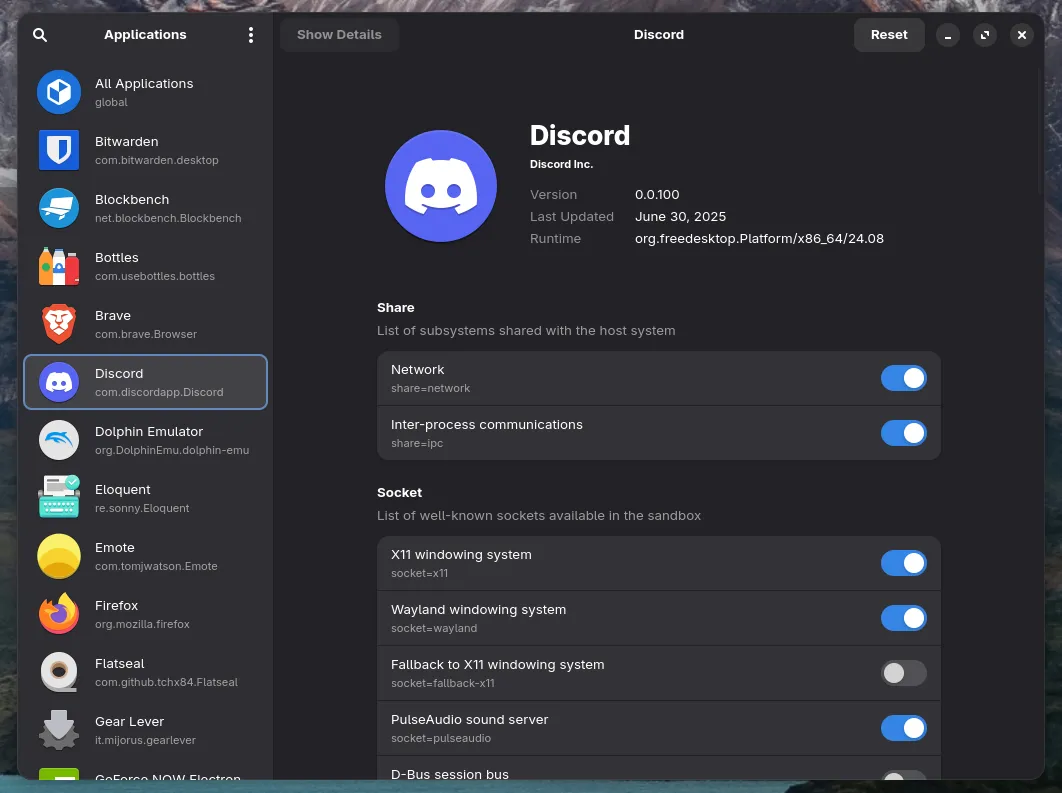
In your software manager, install Flatseal. Open it and select Discord in the sidebar.
Scroll down to the “Filesystem” section and enable All user files.
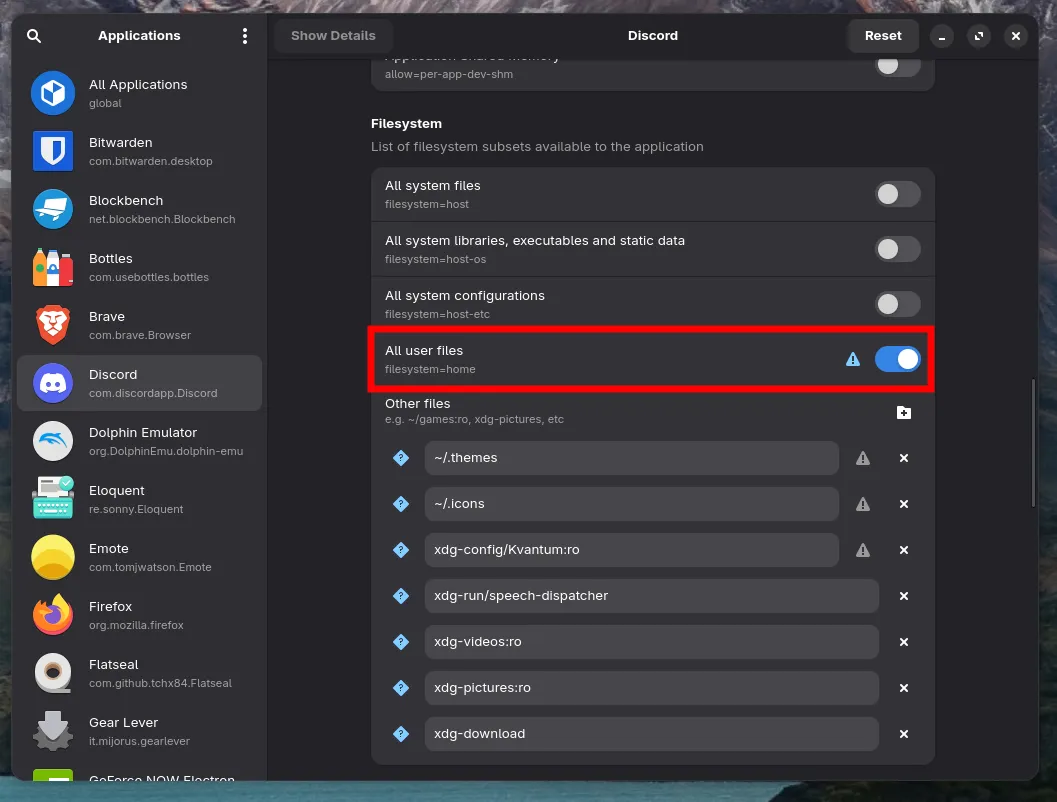
This is saved automatically. You can now close the window. Then quit and re-start the Discord app completely.
Using a terminal command
Copy and paste this command into your terminal:
flatpak override --user com.discordapp.Discord --filesystem=homeThen quit and re-start the Discord app completely.