"This works on any Cinnamon desktop!" Thu Jun 26 2025
This is a guide on how to change your cursor pack on the Cinnamon desktop. This applies to Linux Mint Cinnamon, Ubuntu Cinnamon, Fedora Cinnamon, and Manjaro Cinnamon.
This guide is also available as a video if you find video instructions easier.
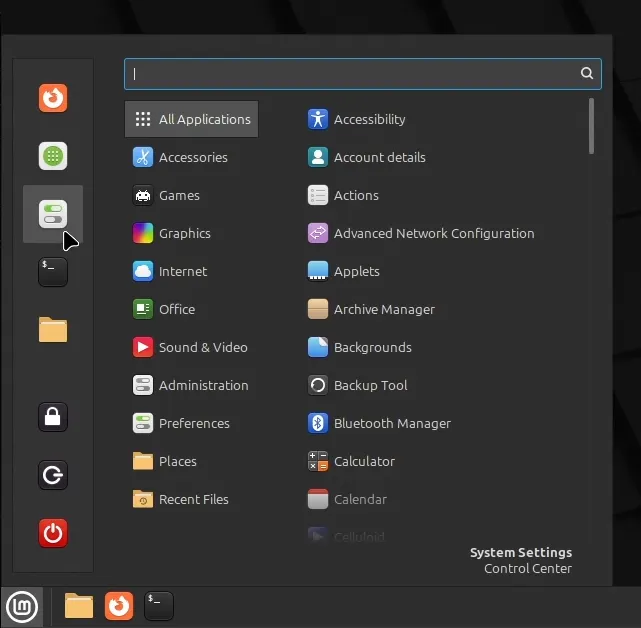
Open Settings from the menu, which can be opened using the icon in the bottom left corner of the screen. You can also open it with the Meta key on your keyboard.
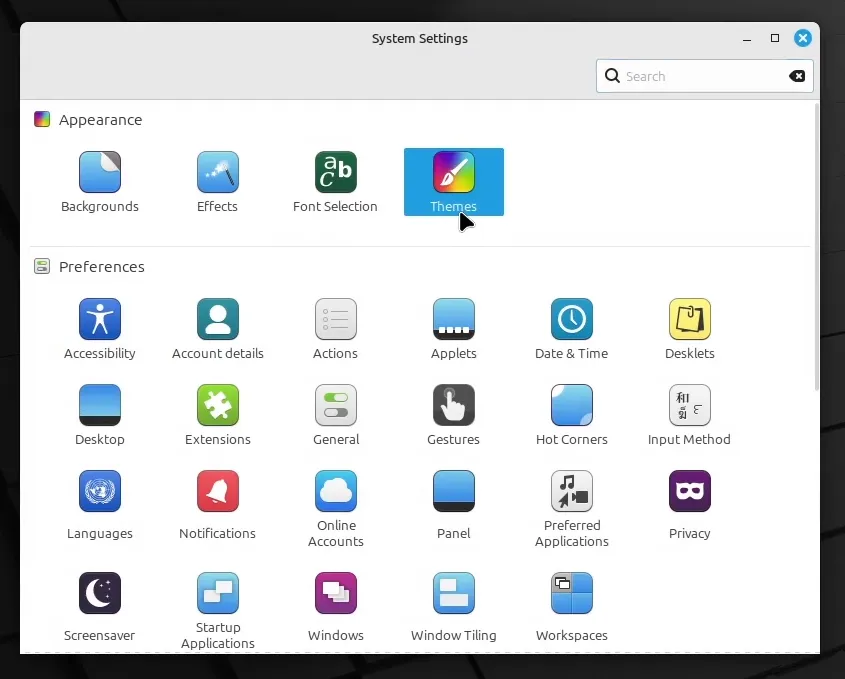
Under the Appearance category, click Themes.
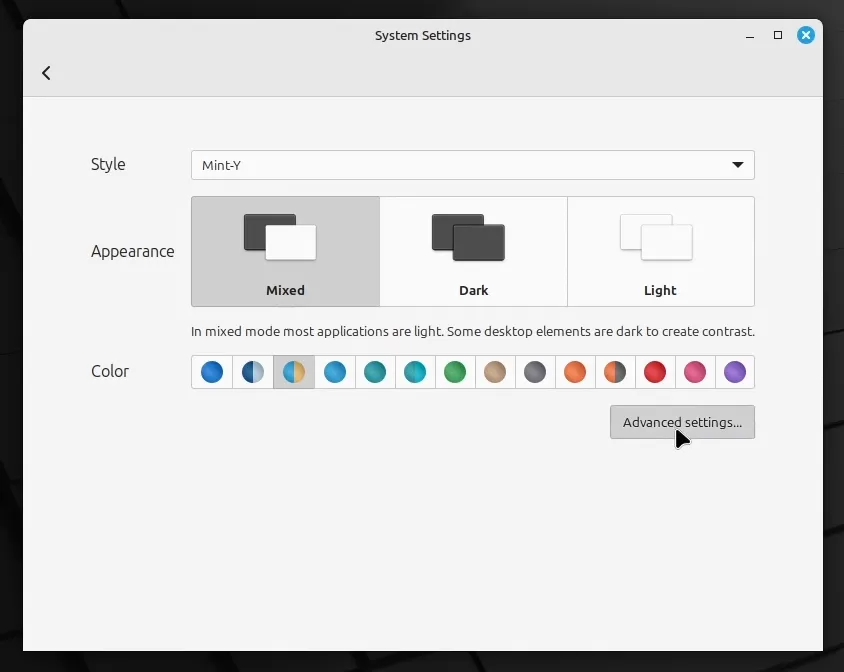
Here, you can change the style of windows. To change the cursor, click on Advanced settings…
Click the button with the image of your mouse pointer to open the selection menu.
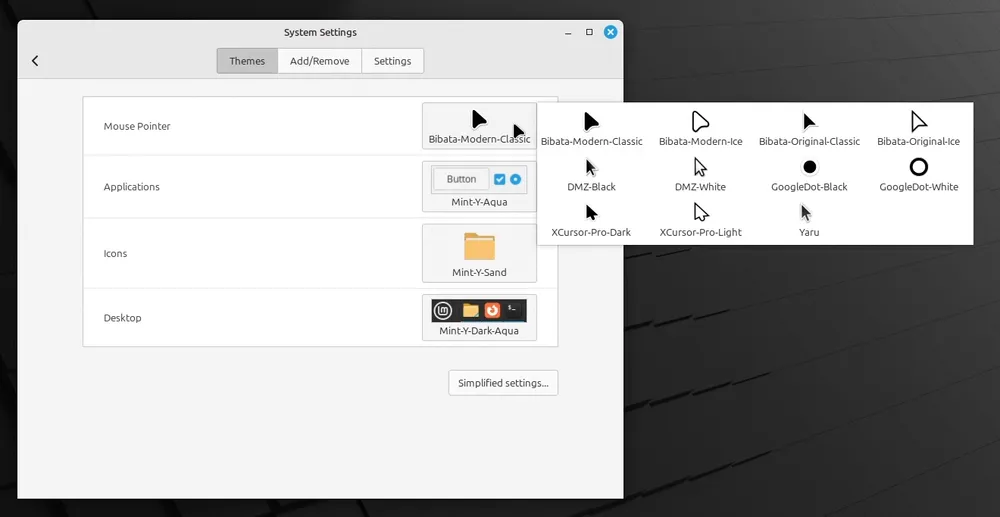
You can now select a different mouse pointer pack.